Adobe Creative Cloud — All Apps, 1 Month Account
$9.99
● In stock
Description
Get the full Adobe Creative Cloud All Apps plan for one month — every desktop and mobile app Adobe makes for design, photo, video and PDF work, in one subscription. Ideal for a project, a course, or trying the full suite without a long commitment.
What's included
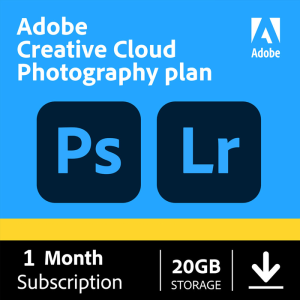
- Photoshop and Lightroom for photo editing
- Illustrator and InDesign for design and layout
- Premiere Pro and After Effects for video and motion
- Acrobat Pro for editing, converting and signing PDFs
- Adobe Express, Adobe Fonts and 20+ more apps
- 100 GB of cloud storage
How to activate
- Complete your order — your activation details arrive by email and under My Account → Orders.
- Follow the included step-by-step instructions to apply the subscription to your Adobe account.
- Download the Creative Cloud desktop app and install the apps you need.
Requirements
- A free Adobe account (you can create one during activation)
- Windows or macOS computer meeting Adobe's system requirements for each app
- Internet connection for activation
Delivery & guarantee
- Instant delivery: your code is sent to your email and shown under My Account → Orders as soon as payment is confirmed.
- 100% delivery guarantee: if your code doesn't work, contact us and we'll replace it or refund you.
- Real support: questions before or after buying? Message our team and we'll help you activate.
FAQ
Subscription or key — which should I choose?
We offer Creative Cloud All Apps both as this 1-month subscription and as a 1-month key. Check the delivery details on each product page, or message us and we'll recommend the right one for you.
Can I use it on more than one computer?
Adobe lets you install Creative Cloud apps on two computers and be signed in on both, using one at a time.