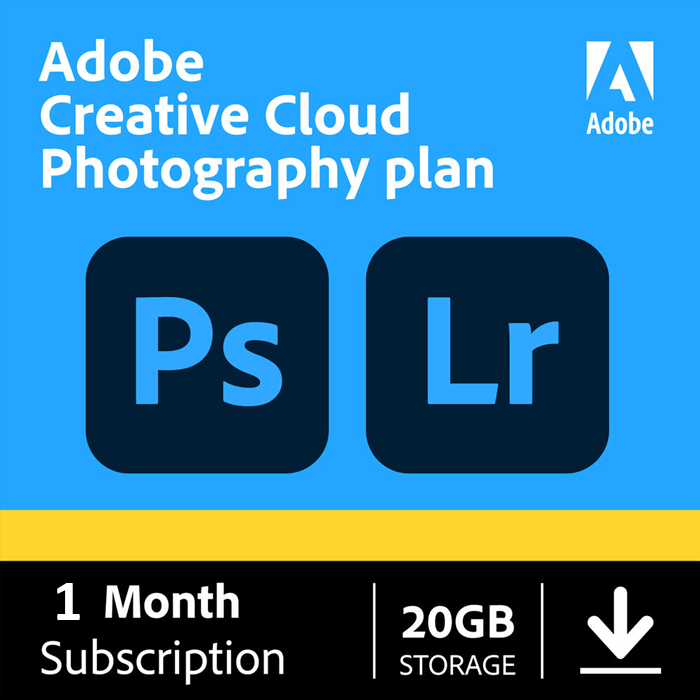
Adobe Photography Plan Key — 1 Month
- Instant deliveryMost codes show on your order page right after payment.
- 15-day protectionSomething wrong? Contact us within 15 days for a replacement or refund.
- Activation helpMessage us on Telegram or email if a key will not activate.
- CashbackLogged-in customers get cashback credited to their wallet.
Description
The Adobe Photography Plan key unlocks one month of Adobe's bundle for photographers: Photoshop for detailed editing, Lightroom for organising and developing your photos, and Lightroom Classic for desktop-based workflows, all synced across your devices.
What's included with the Adobe Photography Plan key
- Photoshop on desktop and iPad: layers, masks, retouching and compositing
- Lightroom on desktop, web and mobile: quick, non-destructive edits and presets
- Lightroom Classic for catalog-based photo workflows on your computer
- Cloud storage to sync your photos between devices
Who is the Adobe Photography Plan key for?
It suits wedding and event photographers with a batch of photos to deliver, hobbyists processing a trip, students working on a portfolio, and anyone who wants Photoshop and Lightroom for a short stretch without paying for the whole Creative Cloud suite. A one-month Adobe Photography Plan key is a practical way to finish a project and walk away with edited, exported files.
Photography Plan key or Creative Cloud All Apps?
If you only edit photos, the Photography Plan gives you Photoshop and Lightroom for less. Choose the Adobe Creative Cloud key instead if you also need video, design or PDF tools such as Premiere Pro, Illustrator or Acrobat Pro. Compare both on our software page.
How to activate your Adobe Photography Plan key
- Complete your order. Your key arrives by email and under My Account → Orders.
- Sign in to your Adobe account and redeem the code (instructions are included with your key).
- Install Photoshop and Lightroom from the Creative Cloud app and start editing.
Adobe describes the plan and its apps on its official Creative Cloud plans page.
Requirements
- A free Adobe account
- A Windows or macOS computer meeting Adobe's requirements; Lightroom mobile on iOS or Android
- Internet connection for activation
A simple photo workflow to try during your month
Import your shoot into Lightroom, rate and cull the frames, then apply a preset or your own adjustments to the whole batch. Send the best images to Photoshop for retouching, such as skin cleanup, object removal or sky replacement, then save back to your Lightroom catalog. Finish by exporting web-sized and full-resolution versions. Because Lightroom edits are non-destructive, you can revisit them later, and your original files are never overwritten.
Will my edits stay on my computer after the month?
Your original photos and exported files are yours. We recommend exporting finished images and keeping your catalog backed up before the plan ends.
Do I need a powerful computer for the Adobe Photography Plan key?
A reasonably modern computer with 16 GB of RAM handles most photo work smoothly, though large panoramas and heavy retouching benefit from more memory and a fast drive. Check Adobe's system requirements for your operating system, and remember that Lightroom on mobile is a lighter option for quick edits on the go. With your Adobe Photography Plan key active, you can start on a phone and finish on a desktop.
Delivery and guarantee
- Instant delivery: your code is sent to your email and shown under My Account → Orders as soon as payment is confirmed.
- 100% delivery guarantee: if your code doesn't work, contact us and we'll replace it or refund you.
- Real support: questions before or after buying? Message our team and we'll help you activate.
Adobe Photography Plan key FAQ
Is Photoshop included?
Yes. The Photography Plan includes Photoshop on desktop and iPad, along with Lightroom and Lightroom Classic.
Can I use it on more than one device?
Lightroom syncs across your devices once you sign in with your Adobe account. For desktop installs, Adobe's standard two-computer rule applies.
Can I extend it after a month?
Come back to our software shop for another key whenever you need more time, or message us and we'll help you pick the right plan.